8.5.0
The provider type "Chat Completions" is provided by formcycle as part of the standard functionality and does not require any additional plugins.
The service must support a /chat/completions endpoint. Optionally, /models can be supported to automatically load available models.
This type is designed for AI services that provide an OpenAI-compatible API. Historically, many providers offer, in addition to their own endpoints, an endpoint that behaves like OpenAI's /chat/completions endpoint. The Chat completions type allows such providers to be used even if no dedicated type exists yet. The capabilities of this type are limited.
If possible and available, a dedicated type should be used. For example, the OpenAI plugin for OpenAI, where the /chat/completions endpoint is already considered deprecated and new endpoints with extended functionality are available.
Features:
- Text generation
- Structured JSON output
- No image or file processing
Contents
Prompt connections
For general information, see the help article prompt connections. The following section covers the configuration specific to the "Chat completions" provider type.
|
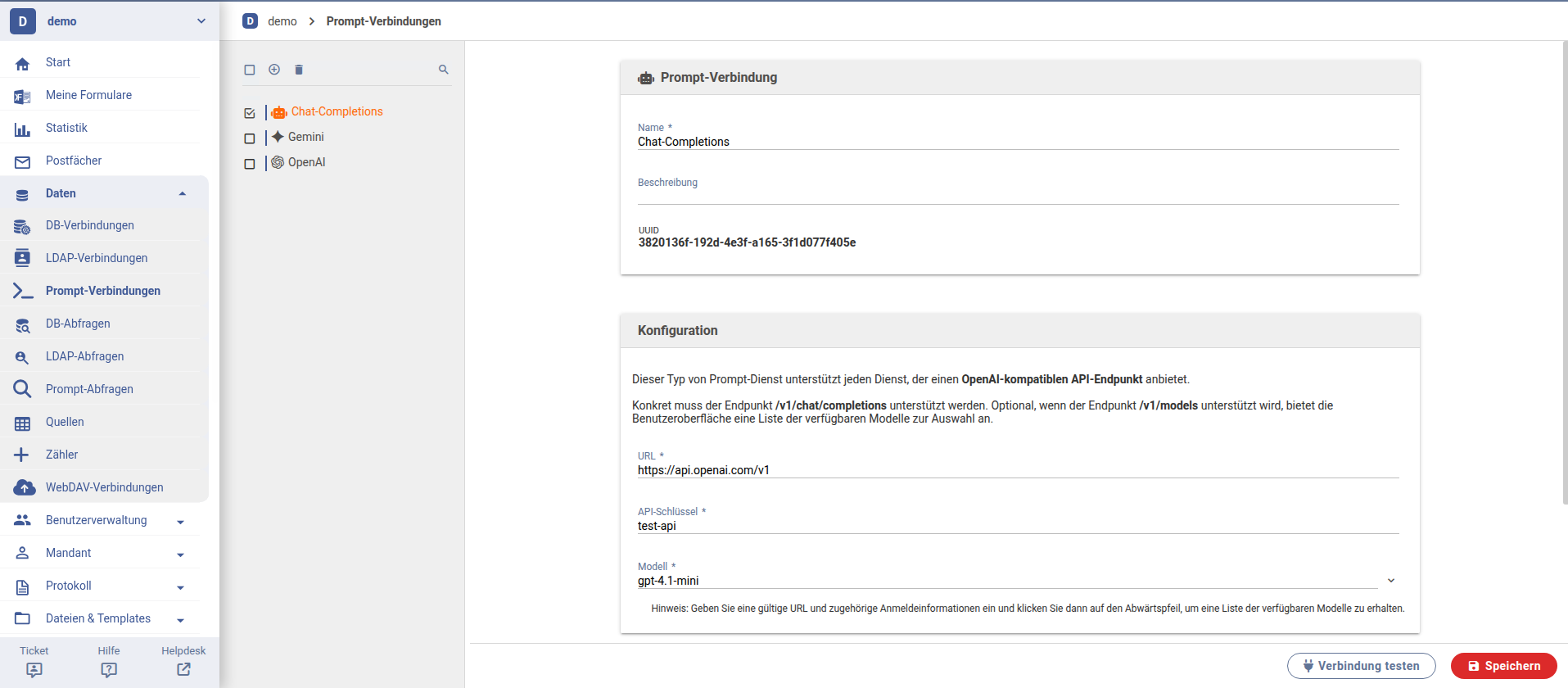
- URL
- Base URL of the AI service interface. For OpenAI, this would be https://api.openai.com/v1
- API Key
- The API key used for authentication. Provided by the respective service provider.
- Model
- Selection of the model for prompt requests.
Advanced settings
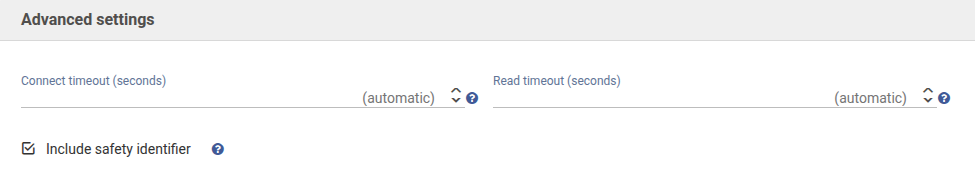
In the Advanced Settings section, additional parameters for communication with the prompt service can be configured.
By default, the option "Include safety identifier" is enabled. The safety identifier is derived from the user ID and passed to the prompt service. This allows the service to provide targeted feedback in case of policy violations. It is recommended to keep this option enabled if supported by the provider.
|
Compatibility
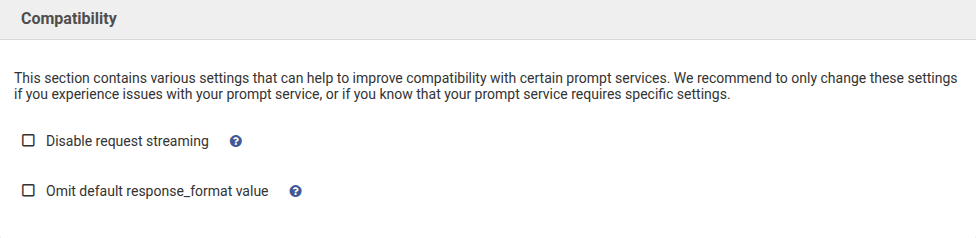
The Compatibility section contains additional options to improve integration with various prompt services. These settings should only be adjusted if issues occur with a provider or if specific requirements must be met.
|
Notes on specific providers
- Mistral
- You need to enable "Disable request streaming" and disable "Include safety identifier". The URL is https://api.mistral.ai/v1.
- Claude
- You need to enable "Omit default response_format value". Also, listing the available models does not work, but you can enter the model manually. The URL is https://api.anthropic.com/v1.
- IONOS
- IONOS does not require special settings. The URL is https://openai.inference.de-txl.ionos.com/v1.
Prompt queries
For general information, see the help article prompt queries. The following section covers the configuration specific to Chat Completions.
Tasks for chat completions providers
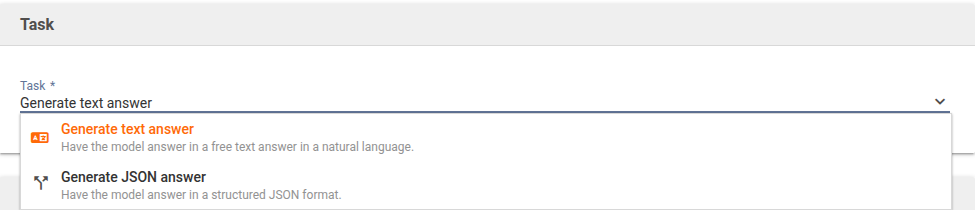
Two tasks are available for Chat Completions providers. The selected task determines which features are available and how the result is structured.
|
Task: Generate text answer
The task "Generate text answer" produces a response in natural language. It is suitable for use cases where a readable text output is required, such as explanations, summaries, or writing assistance.
|

Prompt
The Prompt section defines the input provided to the AI and how the response should be generated. Chat completions providers do not support web search. Therefore, the model does not access current content from the internet.
Files
Optionally, files can be included in the prompt request to provide additional information.
Detailed information on configuring the Prompt and Files sections can be found in the help article prompt queries.
Fine-tuning settings
The fine-tuning settings allow optional parameters to be defined in order to control the AI's response behavior more precisely. For many use cases, these values can remain set to "automatic".
|
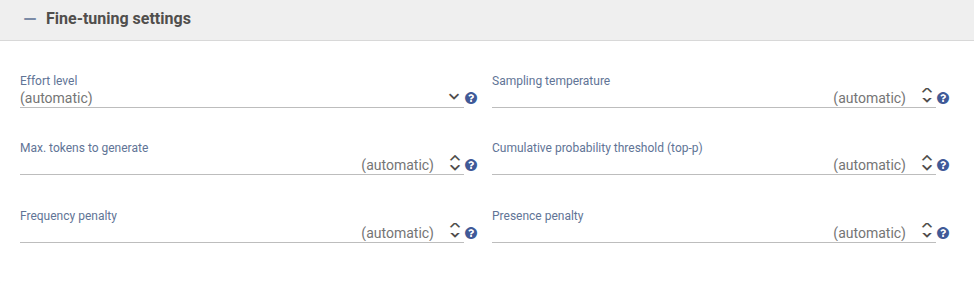
- Effort level
- Controls how detailed and complex the response is. Higher levels may result in more detailed outputs.
- Sampling temperature
- Influences response variability. Lower values produce more factual and consistent results, higher values more diverse and creative outputs.
- Maximum tokens to generate
- Limits the maximum length of the generated response.
- Cumulative probability threshold (top-p)
- Controls how broadly the model considers alternative word choices.
- Frequency penalty
- Reduces repetition within the response.
- Presence penalty
- Encourages introducing new topics in the response.
Task: Generate JSON Response
The task "Generate JSON response" produces a structured response in JSON format. It is suitable for use cases where the output must be machine-readable and further processed.
|

All other sections such as Prompt, Files, and Fine-Tuning Settings are also available for this task and behave the same as in "Generate text answer".
JSON Schema
The JSON Schema section is additionally available when the "Generate JSON answer" task is selected. It defines the structure in which the model should return its response.
The various options for defining and configuring the JSON schema are described in detail in the help article prompt queries.
Was this article helpful?
That’s Great!
Thank you for your feedback
Sorry! We couldn't be helpful
Thank you for your feedback
Feedback sent
We appreciate your effort and will try to fix the article
