8.5.0
Prompt connections allow formcycle to connect to external AI services. Services from different providers can be integrated. For some providers, a corresponding plugin is required.
A prompt connection defines which service is used and which credentials are used to access AI functionality. It forms the technical foundation for prompt queries, which can be used to generate, summarize, or analyze content.
Contents
Navigation to prompt connections
In the left navigation, open the following section:
Data → Prompt connections
Under Data, you will find the menu item for managing prompt connections. Depending on the installed plugins, different providers are available. |
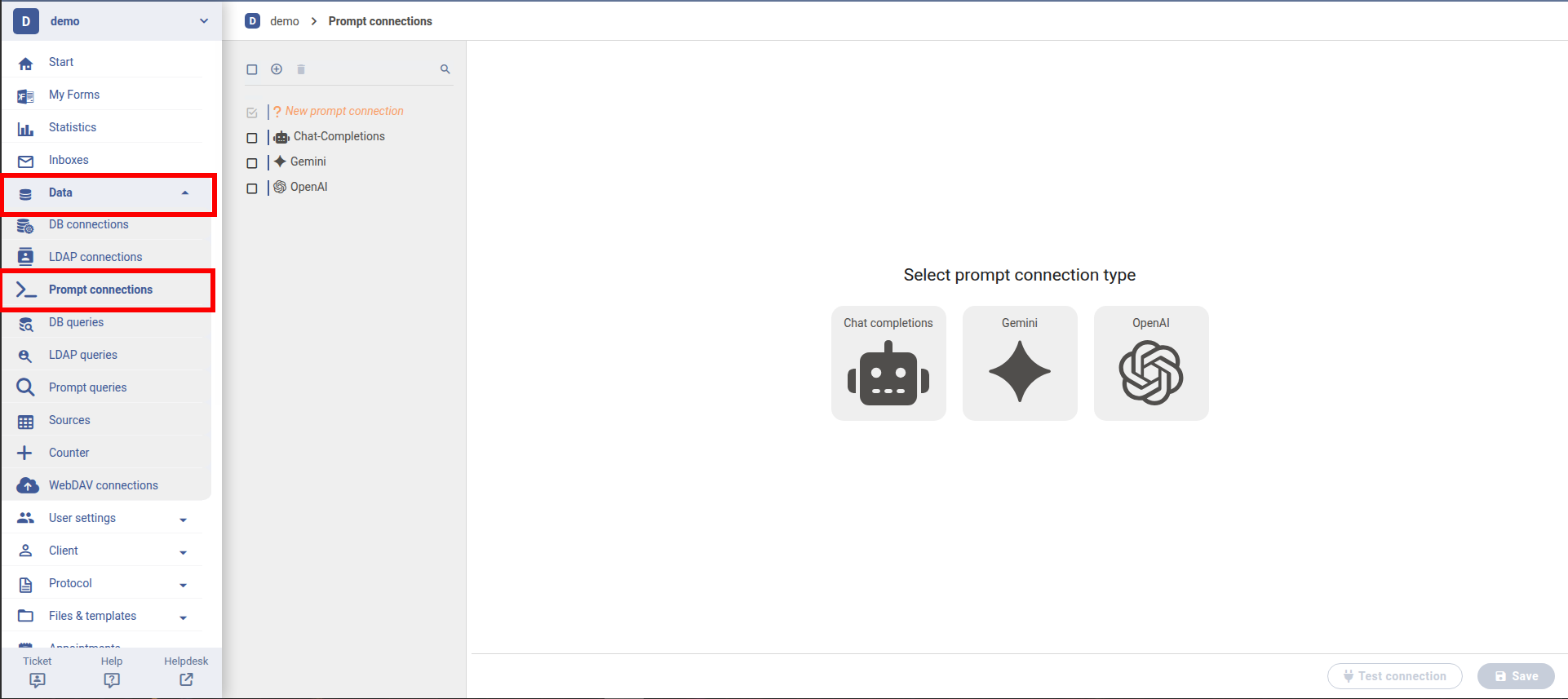
This view shows an overview of all existing prompt connections. From here, new connections can be created or existing ones can be edited.
General configuration
After creating or opening a prompt connection, the general information is displayed first. These settings are identical for all types of AI providers.
Basic data of a prompt connection that can be maintained independently of the provider. |
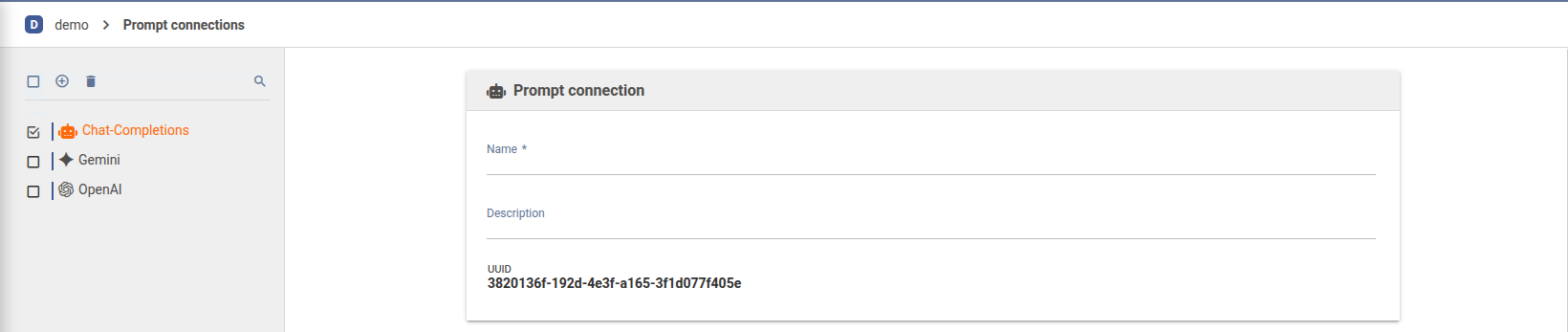
- Name
- The name is used to uniquely identify the connection. It is later displayed when selecting a connection in prompt queries.
- Description
- Additional notes can be stored here. These are only visible internally in the backend.
- UUID
- Automatically assigned and used for internal identification of the connection. This field cannot be modified.
Provider-specific configuration
Depending on the installed plugins, different providers are available. The following providers are either part of the standard functionality or provided as plugins:
- Chat completions (standard functionality)
- OpenAI (plugin)
- Google Gemini (plugin)
Depending on the provider, the configuration may vary. However, there are several typical configuration fields that are similar across providers. These are briefly described below. For provider-specific configurations, refer to the respective provider documentation.
Basic settings
The basic settings contain the required data to use the service.
- URL
- Base URL of the AI service. By default, the provider’s URL is used if available. However, it can be adjusted if necessary, for example due to provider changes or network requirements.
- API key
- The API key used for authentication. This is required by most service providers.
- Model
- Selection of the model. Providers usually offer multiple pre-trained models. A specific model must be selected per connection. This allows administrators to enforce the use of specific models. Costs are typically model-dependent. The arrow on the right can be used to load available models. Valid credentials are usually required, as available models may differ depending on the account.
Advanced settings
Optional configuration options are available under advanced settings.
Configuration of advanced settings per connection, such as timeouts. These settings are optional. |

These settings are typically only required if:
- specific limits or timeouts are needed
- a specific AI service is integrated
- custom behavior needs to be configured
For most use cases, these fields can remain unchanged.
Test connection
The prompt connection should be tested before use.
The connection test verifies whether the connection data and password have been entered correct. |
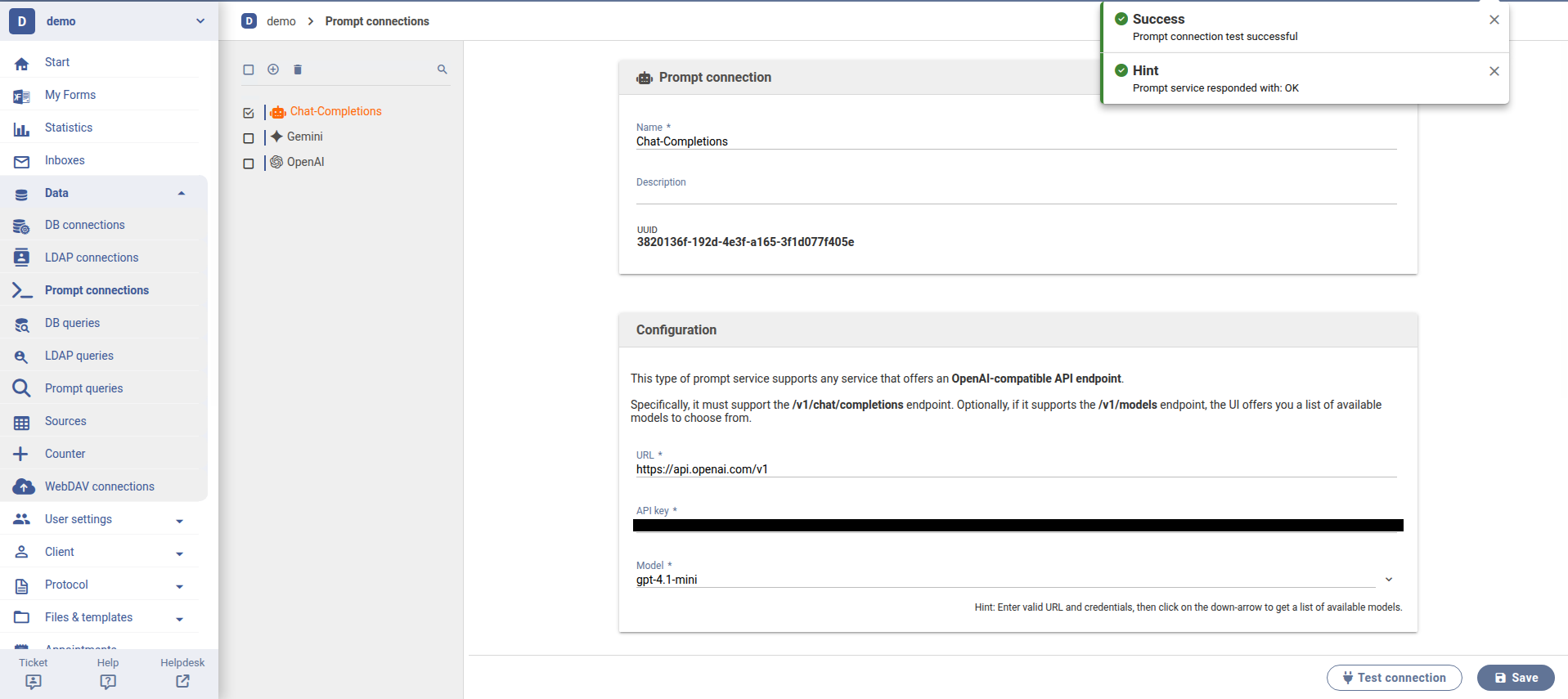
Clicking "Test connection" checks whether the service is reachable and can be used.
Was this article helpful?
That’s Great!
Thank you for your feedback
Sorry! We couldn't be helpful
Thank you for your feedback
Feedback sent
We appreciate your effort and will try to fix the article
