In addition to events, new workflow actions are available as part of the user portal.
Action: Inbox message
The “Inbox message” action allows messages to be sent directly via the workflow.
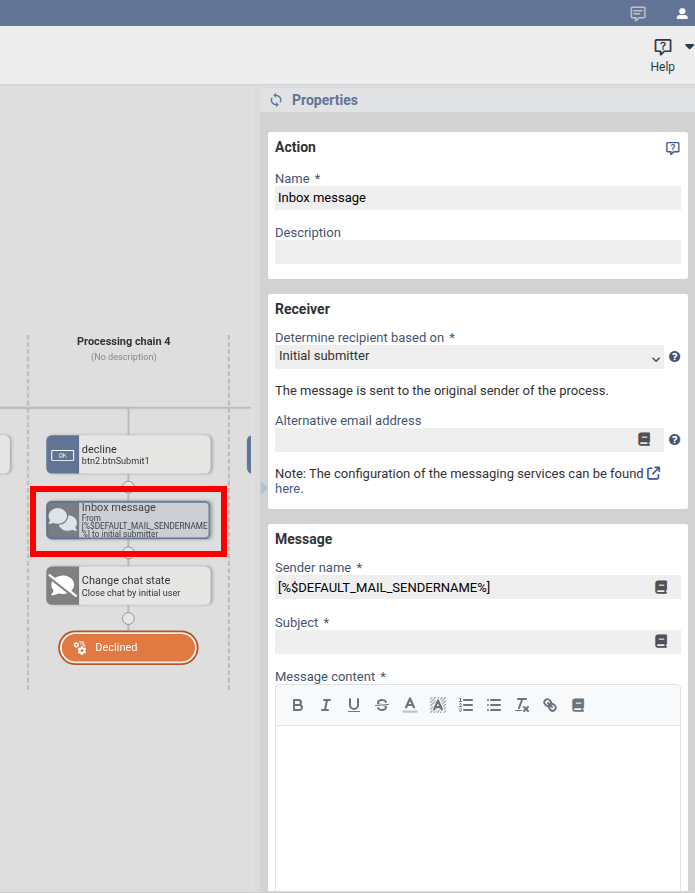
| Name | The name used for display within the workflow. |
| Determine recipient based on* | Initial submitter: The user who initially submitted the form. Latest submitter: The user who most recently submitted the form. Email: Enter a specific email address. Inbox ID: If the user is authenticated (e.g. via BundID), the message is sent to the corresponding inbox. |
| Alternative email address | If the user does not have an email address, the message will be sent to this address instead. |
| Sender name | Name of the sender. |
| Subject | Subject of the message. |
| Message content | Content of the message. |
| Allow reply | If enabled, the recipient can reply to the message. |
| Request file | If enabled, the recipient is prompted to upload a file. |
Action: Conversation as PDF
This action allows the entire message history to be saved as a PDF document and further processed within the workflow. Typical use cases include “Save to file system” or “Transfer to a DMS (CMIS)”.
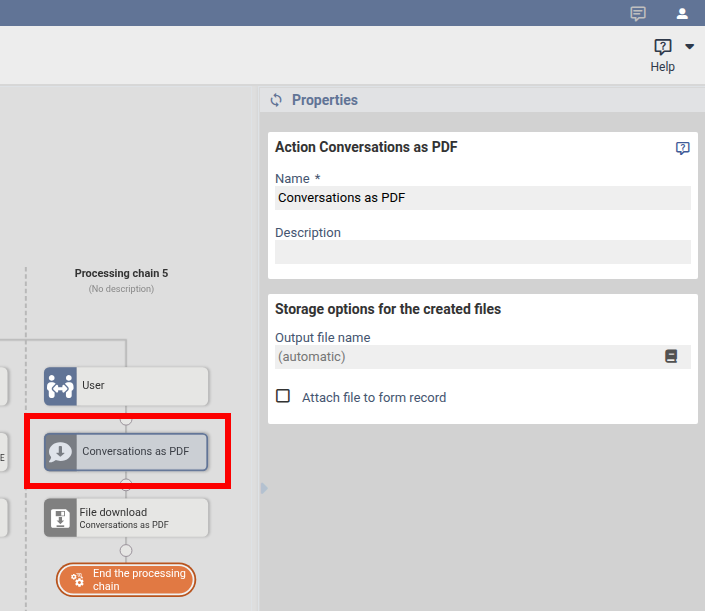
| Name | The name used for display within the workflow. |
| Output file name | Name of the generated file. |
| Attach file to form record | If enabled, the file is attached to the process and is therefore also available, for example, in the caseworker inbox. |
Action: Change chat state
This action activates or deactivates a conversation. If a conversation is deactivated, no further replies can be sent.
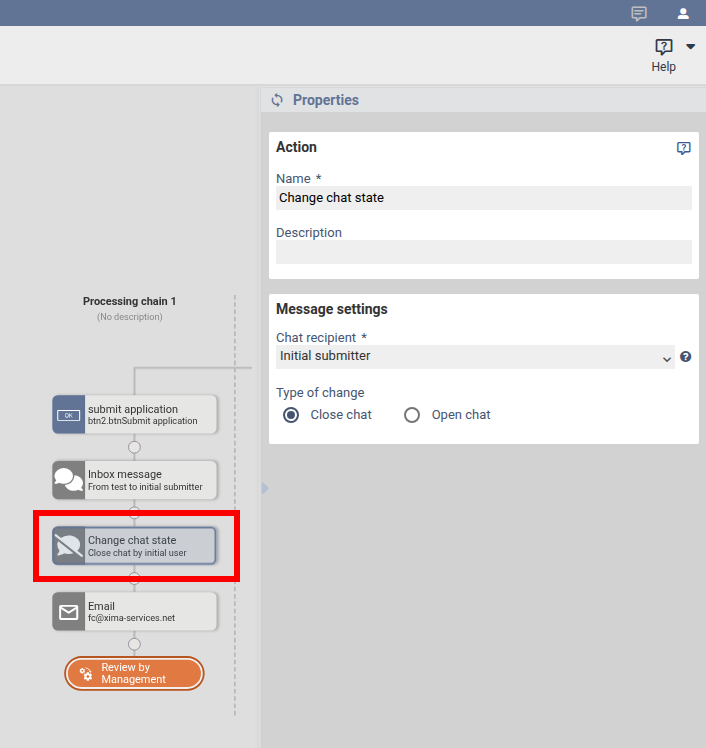
| Name | The name used for display within the workflow. |
| Chat recipient | Initial submitter: The user who initially submitted the form. Latest submitter: The user who most recently submitted the form. Email: Enter a specific email address. |
| Close chat | Ends the conversation. |
| Open chat | Opens a conversation. |
Was this article helpful?
That’s Great!
Thank you for your feedback
Sorry! We couldn't be helpful
Thank you for your feedback
Feedback sent
We appreciate your effort and will try to fix the article
